MSX Compiler v2026
A downloadable tool for Windows
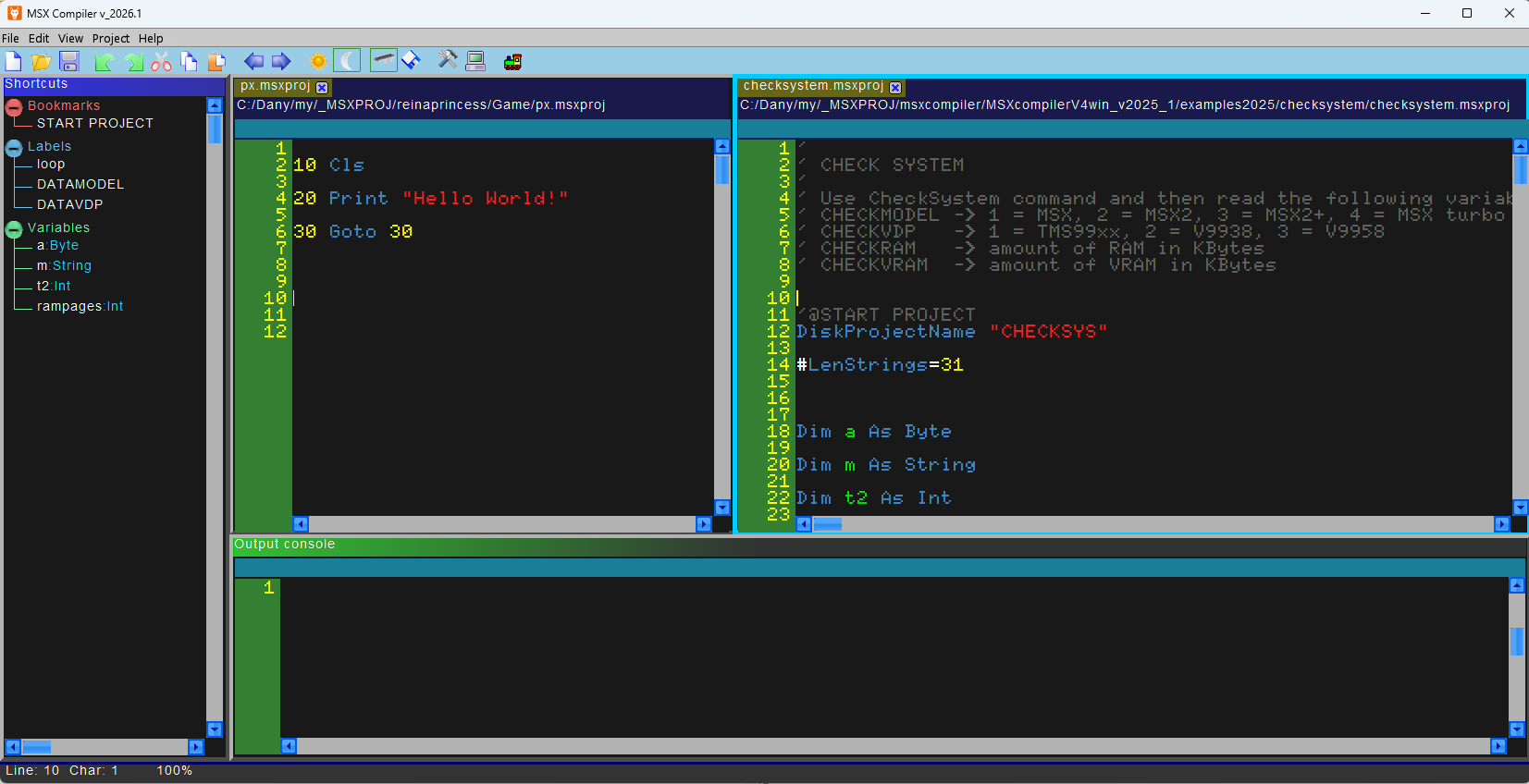
Works on Windows and Linux. Write your code in BASIC (very similar to the Basic MSX but with some differences) and the compiler will create an assembly file that will go directly on .ROM or .DSK, to try on the emulator or real MSX. First select the emulator path.
On Mac OS it is necessary to set an additional path because the executable file is located inside the emulator's app folder. Then open a project "*.msxproj" or create one yourself. When you are ready, press "F5" to compile and RUN! In the same folder you will find the ".DSK" or ".ROM" file, and ".ASM" source file if you have selected the option in the settings!
Be careful when you activate the "Save .ASM File When Run" option because it saves the project in assembly files that can overwrite the existing ones.
How It's Work
The compiler read BASIC code and translate it in ASSEMBLER, then translate it in BINARY code You can save and see ASM file if you want, select relative option in Settings window If the binary code resulting from the compilation is greater than 16kb, then you will have to divide your project into more than one file, each with a maximum of 16kb of binary code, up to a maximum of 16 files. It is possible to make calls between files with the instructions CALLPAGE (as gosub) and JUMPPAGE (as goto)
example: CALLPAGE 1,100 --> make a calling to page 1 at line 100
Look at example folders to see how it's work
You can select TARGET of your compilation (CARTRIDGE or DISK)
Depending on the TARGET (cartridge or disk), a .ROM file of a maximum of 512kb or a .DSK file containing up to a maximum of 32 binary files of 16kb each will be created!
- Memory containing the binary code (4000h-7fffh) with memory mapper to change page
- Memory containing the variables (8000h-bfffh)
- Reserved memory (c000h-d16fh)
- Additional memory available from d170h onwards. (Note that the stack pointer is initialized to DB00h)
- Stack (DB00h) but you can change it in Settings window
Download
Comments
Log in with itch.io to leave a comment.
Hi Bosh77,
Glad to see an enhanced version of your MSX Compiler but I get an issue. When I run your examples with any MSX1 configs and BlueMSX it crashes the emulator or makes some green artefacts. However same examples runs well with a MSX2 config. Moreover there is still not a "QUIT" command to exit the compiler. Can you fix it ? Thanks in advance.
Hi, and thanks for your feedback. Can you specify which examples don't work on MSX1? That way, I can give you some pointers. Thanks for the QUIT command suggestion; I'll look into including it in the next release.
Hi bosh77, I would like to do it but unfortunately I can not launch the "MSXCompiler_2026_1.exe" file anymore , when I double click on it, it opens then close right away. I've done many reinstallation but it's the same. And it's not the fault of my antivirus. Are you aware about this bug ? Thanks
in the same folder as the EXE file is also the "data" folder and four .dll files?
otherwise try to search for the folder
"C:\Users\[USERNAME]\AppData\Roaming\MSXCompiler" and delete the files contained there (the folder may be hidden)
Hi bosh77, well I did like you said and I deleted the "settingsx.dat" files. Now it launch good. Moreover I confirm that all MSX1 programs do not run on BlueMSX MSX1 model. Example : DrawTextScreen5/drawtextscr5.rom on MSX1 ( Canon V-20 ) with VDP TMS99xx both Normal or MSX1 Project. It seems that examples are running well on MSX2 models but they bugs on MSX1 models. Another example : graphic.msxproj bugs on a MSX1.
Hi, programs or games that use Screen 5 work with a V9938 or higher video processor, so an MSX2 is usually required. The TMS only supports screens 0 to 3.